Free1 min
Submit an offer
Open the listing agent's share link, upload your offer and signed disclosures, enter your terms, and submit. Your offer shows as Pending.
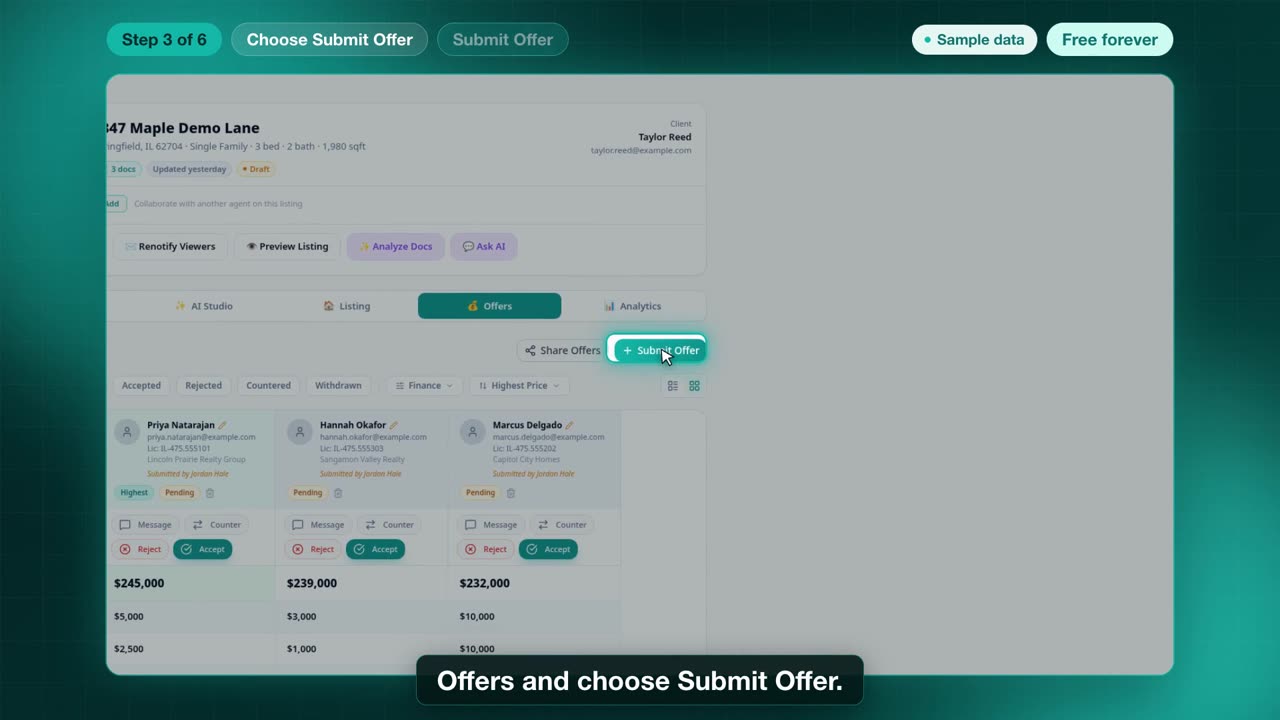
Sample data. Fictional walkthrough.
Steps
- Open the listing agent's share link.
- Choose I am an Agent and add your details, or log in if you already have an account. If you use the separate Sign up page instead, that account activates from a confirmation email, which can take a few minutes.
- In the package, open the Offers tab and choose Submit Offer.
- Upload the offer and each signed disclosure as separate PDF, Word, JPG, or PNG files, up to 30 MB each. Zip files are rejected.
- Enter price, financing, contingencies, and days to close, then add a message. Agent details come from your profile.
- Review, choose Submit Offer, then Submit Now. The offer shows as Pending.